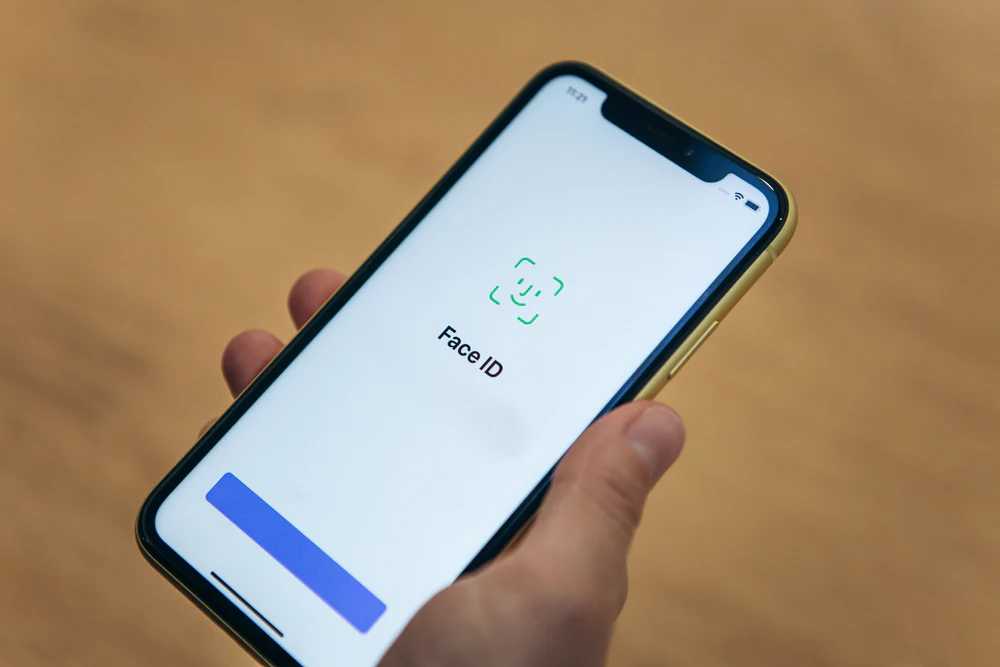
The seamless integration of biometric security in modern smartphones has fundamentally changed how users interact with their devices. For iPhone owners, Face ID represents the pinnacle of this convenience, offering a secure, hands-free method to unlock the device, authorize payments, and access sensitive applications. However, when this sophisticated system fails, it can disrupt daily workflows and create significant frustration. The issue of an iPhone Face ID not working is rarely a singular problem with a one-size-fits-all solution; rather, it is often the result of complex interactions between hardware sensors, software algorithms, environmental factors, and physical obstructions. Understanding the underlying mechanics of the TrueDepth camera system is the first step toward effective resolution. This guide provides a comprehensive, expert-level analysis of why Face ID failures occur and outlines a structured approach to diagnosing and fixing these issues, ensuring users can restore full functionality to their devices without unnecessary service visits.
Understanding the TrueDepth Camera System
To effectively troubleshoot Face ID, one must first appreciate the complexity of the hardware involved. The system is not merely a camera taking a photograph; it is a sophisticated array of sensors known as the TrueDepth camera system. This module projects and analyzes over 30,000 invisible infrared dots to create a precise depth map of the user’s face. Simultaneously, an infrared camera reads the dot pattern and captures an infrared image, which is then processed by the Secure Enclave within the device’s processor to verify identity. This process happens in milliseconds and is designed to work in total darkness, distinguishing it from standard facial recognition systems that rely on visible light. Because the system relies on specific wavelengths of light and precise geometric mapping, even minor deviations in sensor alignment or software interpretation can cause authentication failures. Detailed technical specifications regarding the optical engineering behind these sensors can be reviewed in resources provided by Apple Support.
The failure of Face ID often stems from a breakdown in one of these specific stages: projection, capture, or processing. If the dot projector is obscured by dirt or a screen protector, the depth map will be incomplete. If the infrared flood illuminator is blocked, the system cannot see the face in low-light conditions. If the neural engine responsible for matching the data encounters a software glitch, the verification will time out. Unlike a fingerprint sensor that requires physical contact, Face ID requires a clear line of sight and specific spatial parameters. Users often mistake a temporary software lag for a hardware failure, leading to unnecessary panic. Conversely, physical damage to the top bezel of the iPhone, even if the screen appears intact, can misalign the sensors enough to render the system inoperative. A deeper dive into the security architecture and sensor functionality is available through documentation from the National Institute of Standards and Technology (NIST), which frequently evaluates biometric reliability standards.
Common Environmental and Physical Obstructions
One of the most frequent causes of Face ID malfunction is surprisingly mundane: physical obstruction. The TrueDepth camera system is located in the notch or Dynamic Island at the top of the display, making it highly susceptible to blockage. Dirt, lint, makeup, and even condensation can accumulate on the sensor array, scattering the infrared dots and preventing a clear reading. In clinical observations of device returns, a significant percentage of “hardware failures” are resolved simply by cleaning the front glass with a microfiber cloth. It is crucial to avoid using abrasive materials or harsh chemicals, as these can damage the oleophobic coating or the sensor lenses themselves. The Federal Trade Commission (FTC) offers guidelines on safe device maintenance that align with manufacturer recommendations to prevent accidental damage during cleaning.
Screen protectors and cases also play a critical role in Face ID performance. While many accessories are marketed as “Face ID compatible,” poor manufacturing tolerances can result in films that are too thick or adhesives that refract infrared light incorrectly. Tempered glass protectors that do not have precise cutouts for the sensor array can act as a filter, degrading the quality of the dot projection. Similarly, bulky cases that extend over the top bezel may physically block the flood illuminator. Users experiencing intermittent failures should test the device with all accessories removed to isolate the variable. Industry testing labs often publish compatibility reports, such as those found on Tom’s Guide, which evaluate how different screen protectors impact biometric sensor accuracy under various lighting conditions.
Environmental lighting, while less critical than for standard cameras, can still influence performance in edge cases. Although Face ID is designed to function in pitch blackness using its own infrared illuminators, extreme direct sunlight can sometimes overwhelm the infrared sensors. The sun emits a broad spectrum of radiation, including high levels of infrared energy, which can create “noise” that interferes with the dot pattern analysis. Users attempting to unlock their phones while facing direct midday sun may experience higher failure rates. Conversely, wearing certain types of eyewear can pose challenges. While standard prescription glasses are generally supported, sunglasses that block infrared light will prevent the system from seeing the eyes and upper face geometry. Polarized lenses, in particular, can distort the infrared projection. The Vision Council provides educational resources on lens technologies and how different coatings interact with various light spectra, offering context for why certain eyewear impedes biometric scanning.
Software Glitches and Configuration Errors
Before assuming hardware damage, it is essential to rule out software anomalies. The iOS operating system manages the complex handshake between the TrueDepth hardware and the Secure Enclave. Occasionally, background processes may hang, or the neural engine may fail to load the necessary machine learning models for face matching. These glitches often manifest after an iOS update or a restoration from backup. A simple restart forces the operating system to reinitialize all hardware drivers, including those for the biometric sensors. In many documented cases, a hard reset resolves transient errors that prevent Face ID from activating. Apple’s official troubleshooting hierarchy always begins with these basic software resets, as detailed in their comprehensive iPhone User Guide.
Configuration settings are another frequent source of confusion. Face ID includes several toggles that control when and how it functions, such as “Require Attention for Face ID.” When enabled, this feature demands that the user’s eyes be open and directed at the screen to unlock the device, adding a layer of security against unauthorized access while the user is sleeping or unconscious. If a user inadvertently looks away or closes their eyes during the attempt, the system will deny access, leading them to believe the feature is broken. Similarly, the “Set Up Alternate Appearance” option allows for a second face profile, but if configured incorrectly with poor lighting or movement during setup, the secondary profile may fail consistently. Reviewing these settings in the Face ID & Passcode menu is a critical diagnostic step. Tech journalism outlets like CNET frequently publish guides on optimizing these settings for different use cases, such as wearing masks or lying in bed.
Corrupted system files can also degrade biometric performance over time. If the database storing the mathematical representation of the user’s face becomes corrupted, the matching algorithm will fail to find a match regardless of the user’s appearance. Resetting Face ID clears this database and forces a fresh enrollment, effectively rebuilding the mathematical model from scratch. This process deletes the old data and creates a new baseline, often resolving issues where the system struggles to recognize the user after significant changes in appearance, such as growing a beard or gaining weight. It is important to note that resetting Face ID does not delete personal photos or messages, only the biometric template. For users concerned about data integrity during this process, resources from Electronic Frontier Foundation (EFF) offer insights into how biometric data is stored locally and isolated from the cloud, ensuring privacy during resets.
Physical Damage and Hardware Diagnostics
When software troubleshooting yields no results, the focus must shift to potential hardware damage. The TrueDepth camera system is incredibly sensitive to physical shock. Dropping an iPhone, even from a modest height, can dislodge the microscopic mirrors in the dot projector or crack the infrared filters. Unlike a cracked screen which is immediately visible, internal sensor damage may leave the display looking pristine while rendering Face ID completely non-functional. In such scenarios, the device may display a message stating “Face ID is not available” or “Move iPhone higher or lower” repeatedly without ever succeeding. Diagnostic tools built into iOS can sometimes detect these hardware faults. Running the Apple Diagnostics tool or checking the “Important Display Message” in settings can reveal if the system has detected a mismatched or non-genuine part, which often occurs after third-party repairs.
Water damage is another prevalent cause of Face ID failure. While modern iPhones boast high IP ratings for water resistance, prolonged exposure or high-pressure water jets can compromise the seals around the sensor array. Moisture trapped inside the bezel can scatter infrared light or cause short circuits in the sensor logic board. Corrosion may develop over time, leading to intermittent failures that eventually become permanent. Users who have submerged their devices should seek professional assessment immediately, as delaying repair can lead to further component degradation. Independent repair analysis sites like iFixit provide teardowns and repairability scores that highlight the vulnerability of the TrueDepth module to liquid ingress and the complexity of replacing it.
Third-party screen replacements are a notorious source of Face ID issues. The TrueDepth camera system is paired cryptographically to the device’s logic board at the factory. If a screen is replaced by an unauthorized technician who damages the sensor cable or uses a non-genuine display assembly, the pairing is broken, and Face ID will cease to function permanently. Even genuine screens installed without proper calibration tools can result in misalignment. Apple’s Self Service Repair program attempts to mitigate this by providing official parts and tools, but the margin for error remains small. Consumers considering third-party repairs should verify the shop’s certification status. The Better Business Bureau (BBB) maintains records of repair businesses and consumer complaints, serving as a valuable resource for vetting service providers before entrusting them with complex biometric hardware.
Optimizing Face ID for Varied Conditions
Achieving consistent performance requires understanding the operational envelope of Face ID. The system is designed to adapt to changes in the user’s appearance, but there are limits to this adaptability. Significant alterations, such as heavy makeup, facial hair growth, or medical conditions affecting facial structure, may require a re-enrollment to maintain high accuracy. The machine learning algorithms continuously update the face model with successful unlocks, but this gradual adaptation can struggle if the initial baseline is too far removed from the current appearance. Users experiencing declining success rates over time should consider resetting Face ID and setting it up again in varied lighting conditions to create a more robust initial model. Academic research into adaptive biometrics, such as studies published by the IEEE Computer Society, explores the balance between security strictness and usability adaptation in dynamic environments.
Distance and angle are critical physical parameters. Face ID is optimized for a specific range, typically between 10 and 20 inches from the face. Holding the phone too close prevents the dot projector from spreading the pattern sufficiently across the face, while holding it too far reduces the resolution of the infrared image. Furthermore, the angle of incidence matters; the sensors need a relatively direct view of the face. Attempting to unlock the phone while it is lying flat on a table or held at an extreme side angle often fails because the depth map cannot be constructed accurately. Training oneself to hold the device at eye level with a natural posture significantly improves success rates. Ergonomic studies referenced by Human Factors and Ergonomics Society often discuss the optimal interaction distances for mobile biometric systems to minimize user fatigue and maximize recognition speed.
Accessibility features also intersect with Face ID functionality. For users with disabilities that affect eye contact or head movement, the “Require Attention” feature can be a barrier. iOS allows this requirement to be disabled, enabling unlocking without direct eye contact, which is vital for users with certain visual impairments or motor control issues. However, disabling this feature slightly reduces security, as the phone could potentially be unlocked by someone holding it up to the user’s face while they are unaware. Balancing accessibility needs with security requirements is a personal decision that depends on the user’s threat model and daily environment. Detailed explanations of these accessibility options are maintained by AbilityNet, an organization dedicated to helping disabled people use technology effectively.
Comparative Analysis of Biometric Failures
To contextualize Face ID issues, it is helpful to compare them with other biometric modalities. The following table illustrates common failure points across different authentication methods, highlighting where Face ID excels and where it faces unique challenges compared to Touch ID and traditional passcodes.
| Feature | Face ID (TrueDepth) | Touch ID (Fingerprint) | Alphanumeric Passcode |
|---|---|---|---|
| Primary Failure Cause | Sensor obstruction, lighting interference, physical misalignment | Moisture on sensor, dirty fingers, skin abrasions | Human memory error, shoulder surfing |
| Environmental Sensitivity | Low (works in dark), but sensitive to IR-blocking eyewear | High (fails with wet/greasy fingers) | None |
| Hardware Dependency | Critical (requires precise sensor array alignment) | Moderate (sensor surface must be intact) | None (software only) |
| Impact of Screen Protectors | High (if covering sensor array) | Low (unless covering home button/under-display area) | None |
| Security Against Coercion | High (requires attention/eyes open by default) | Moderate (fingerprint can be forced) | Low (can be forced to reveal) |
| Repair Complexity | Very High (cryptographic pairing required) | Low/Moderate (sensor replacement easier) | N/A |
| Adaptability to Appearance Changes | High (machine learning updates model) | Low (fingerprints remain static) | N/A |
| Speed of Authentication | Fast (<1 second in optimal conditions) | Very Fast (<0.5 seconds) | Slow (manual entry) |
This comparison underscores that while Face ID offers superior convenience and hygiene (being contactless), it introduces a higher dependency on specific hardware integrity and environmental conditions. Touch ID, while robust against lighting changes, suffers significantly from surface contaminants on the finger or sensor. Passcodes remain the ultimate fallback, immune to hardware failure but vulnerable to social engineering and human error. Understanding these trade-offs helps users set realistic expectations for their device’s performance. Industry analysts at Gartner frequently analyze these biometric trends in their security reports, noting the shift towards multi-factor authentication where biometrics are combined with other layers to mitigate individual weaknesses.
Advanced Troubleshooting and Professional Repair Pathways
If all user-level troubleshooting steps fail, the issue likely resides deep within the hardware logic or requires specialized calibration equipment. At this stage, attempting further DIY repairs, such as opening the device to clean internal connectors, carries a high risk of causing irreversible damage. The ribbon cables connecting the TrueDepth system are fragile and easily torn. Moreover, as previously noted, the cryptographic pairing means that swapping the sensor module with a spare part from another device will not work without proprietary Apple calibration tools. Users in this situation should prioritize authorized service channels. Apple Store Genius Bars and Apple Authorized Service Providers have access to AST2 (Apple Service Toolkit 2), which can run deep diagnostics and perform the necessary calibration to restore Face ID functionality after a component replacement.
For devices out of warranty or where official repair costs are prohibitive, reputable third-party specialists with microsoldering capabilities may offer solutions. Some advanced repair shops can transplant the original dot projector and flood illuminator from a damaged screen assembly to a new one, preserving the cryptographic pairing. This procedure requires expert-level skill and specialized microscopes, making it unsuitable for general repair stores. Consumers seeking such services should look for technicians who specialize in board-level repair and can demonstrate success with TrueDepth modules. Consumer advocacy groups like Consumer Reports often provide updated advice on navigating the repair landscape and understanding the risks associated with unauthorized modifications.
In cases where the device is deemed unrepairable by cost-benefit analysis, users must rely on alternative security measures. Ensuring a strong, complex alphanumeric passcode is set becomes paramount. Additionally, enabling “Find My iPhone” and remote wipe capabilities ensures that if the device is lost or stolen, the data remains secure even without biometric locks. It is also an opportunity to review overall digital security hygiene, such as enabling two-factor authentication for Apple ID and other critical accounts. The Cybersecurity and Infrastructure Security Agency (CISA) provides extensive resources on securing mobile devices and managing identity in the event of hardware limitations, emphasizing that biometric convenience should never come at the expense of foundational security practices.
Frequently Asked Questions
Why does Face ID stop working after an iOS update?
Software updates occasionally introduce bugs that affect the neural engine or sensor drivers. In most cases, this is a temporary glitch resolved by restarting the device. If the issue persists, resetting Face ID and re-enrolling often clears any corrupted configuration files left over from the update process. Rarely, a specific iOS version may have a known bug that Apple addresses in a subsequent point release.
Can Face ID work if I am wearing a mask?
Standard Face ID requires visibility of the nose, mouth, and chin to construct a full depth map. However, newer iPhone models running iOS 15.4 or later support “Face ID with a Mask,” which focuses on the unique characteristics around the eyes. This feature must be explicitly enabled in settings and may be slightly slower or less secure than full-face scanning. Older models do not support this feature natively.
Does Face ID work with twins or siblings?
The probability of two unrelated individuals unlocking the same iPhone with Face ID is approximately 1 in 1,000,000. However, for identical twins or siblings with very similar facial structures, the distinctiveness of the depth map may be insufficient to differentiate between them. Apple acknowledges this limitation and recommends using a passcode for added security if the user has a twin or sibling who closely resembles them.
What should I do if I get a “Face ID is not available” message?
This specific error message usually indicates a hardware failure or a severe communication error between the sensor and the processor. First, attempt a force restart. If the message remains, check for any physical damage to the top bezel. If no damage is visible, the internal sensor array likely requires professional diagnosis and replacement by an authorized technician.
Is Face ID secure enough for banking apps?
Yes, Face ID is certified for use in high-security applications, including banking and payment authorization via Apple Pay. The data is stored in the Secure Enclave, a dedicated hardware subsystem isolated from the main processor and the operating system. This architecture ensures that even if the device is compromised by malware, the biometric data cannot be extracted or spoofed easily.
Why does Face ID fail in bright sunlight?
While Face ID uses infrared light which is invisible, intense sunlight contains massive amounts of infrared radiation. This ambient IR noise can saturate the sensors, making it difficult for the camera to distinguish the projected dot pattern from the background radiation. Moving to a shaded area or angling the device to block direct sun usually resolves the issue immediately.
Can I use Face ID if I have had cosmetic surgery?
Significant changes to facial structure, such as those resulting from major cosmetic surgery, can alter the depth map enough to cause recognition failures. In such cases, the existing face data will no longer match the new facial geometry. The user must reset Face ID and enroll their new appearance to restore functionality. Minor procedures typically do not require re-enrollment as the system adapts over time.
Does cleaning the screen with alcohol damage Face ID?
Apple officially states that using a 70% isopropyl alcohol wipe or Clorox Disinfecting Wipes on the hard, non-porous surfaces of the product is acceptable. However, excessive moisture or getting liquid into the openings (like the speaker mesh near the sensors) can cause damage. It is best to apply the cleaner to a cloth first rather than directly on the phone and to avoid abrasive scrubbing of the sensor area.
Conclusion
The malfunction of iPhone Face ID is a multifaceted issue that bridges the gap between sophisticated optical engineering and everyday usability. While the failure of such a central feature can be disruptive, the vast majority of cases stem from manageable causes ranging from simple obstructions and software glitches to environmental interference. By systematically addressing these variables—starting with cleaning the sensor array, verifying software configurations, and assessing environmental factors—users can often restore functionality without professional intervention. However, when hardware damage or cryptographic pairing issues are at play, the complexity of the TrueDepth system necessitates expert handling to avoid permanent loss of functionality.
As biometric technology continues to evolve, the reliance on these systems for daily security will only deepen. Understanding the limitations and operational requirements of Face ID empowers users to maintain their devices more effectively and make informed decisions regarding repairs and security settings. Whether dealing with a stubborn sensor or optimizing settings for a specific lifestyle need, a methodical approach grounded in technical understanding yields the best results. Ultimately, while Face ID offers a remarkable blend of security and convenience, it remains part of a broader security ecosystem where strong passcodes and vigilant device management serve as the indispensable foundation. By respecting the technical nuances of the hardware and leveraging authoritative resources for guidance, users can ensure their devices remain secure, functional, and reliable in an increasingly digital world.