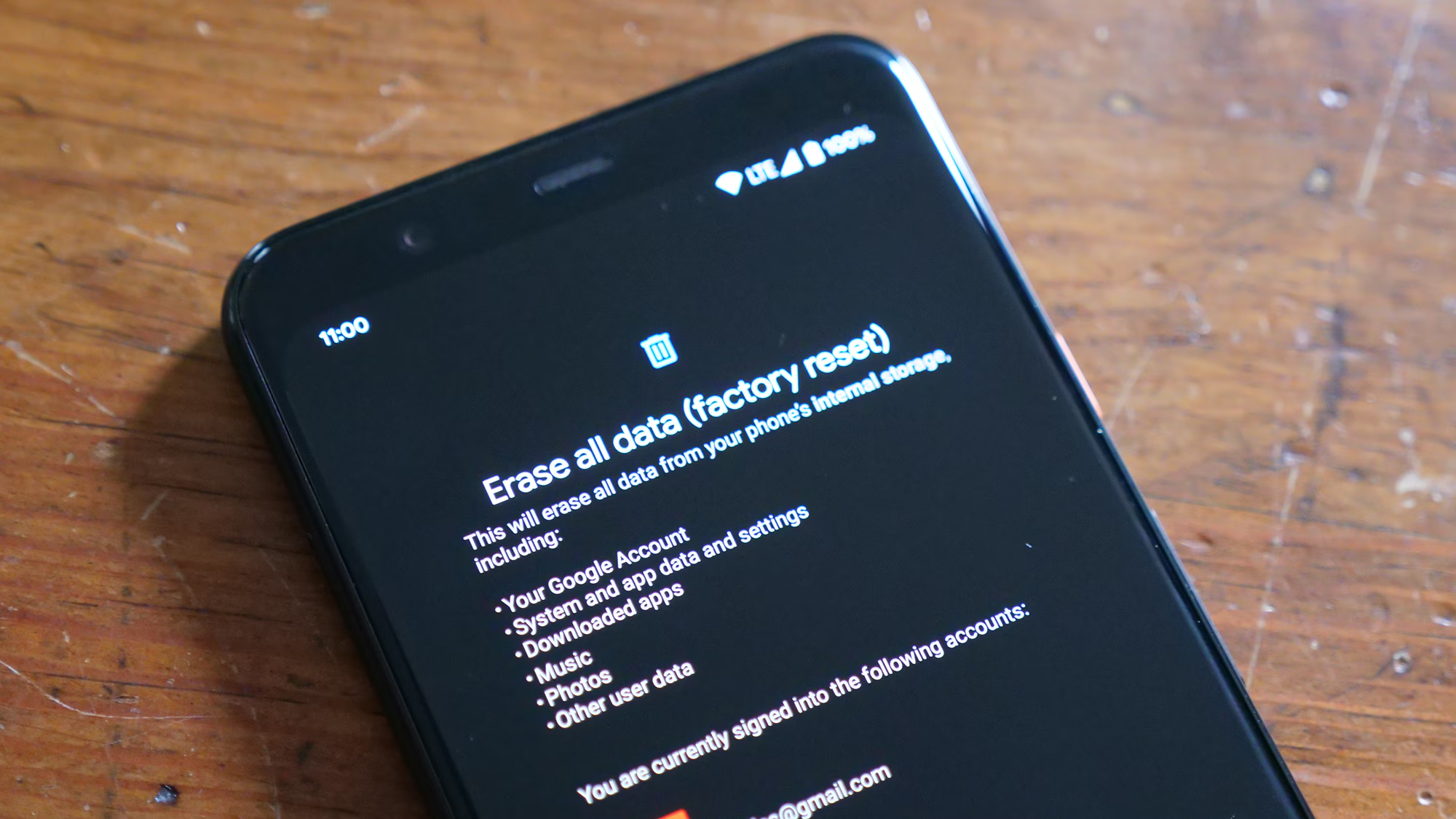
The moment an Android device undergoes a factory reset, the interface returns to its pristine, out-of-the-box state. For many users, this action is a deliberate troubleshooting step to resolve software glitches, clear persistent malware, or prepare a device for resale. However, when executed without a prior backup, the immediate aftermath often triggers a sense of digital loss that feels absolute. The prevailing narrative in consumer technology suggests that once a factory reset is complete, data is gone forever. While this was largely true for older devices with unencrypted storage, the landscape of mobile data recovery has shifted dramatically due to advancements in file system architecture and security protocols. Understanding the technical nuances of how Android handles data deletion is the first step in determining whether recovery is feasible, improbable, or technically impossible.
The Mechanics of Data Deletion on Modern Android Devices
To grasp why recovering files after a factory reset is so challenging, one must first understand what actually happens during the process. A factory reset does not immediately overwrite every bit of data on the flash storage chip. Instead, the operating system typically performs a logical deletion. It removes the file system’s index or pointer to the data, marking the space occupied by those files as “available for new data.” Until new information is written to those specific sectors, the original binary code of the photos, documents, or messages theoretically remains on the physical storage medium. This concept is similar to removing a chapter from a book’s table of contents; the pages still exist within the binding, but the reader no longer has a map to find them.
However, the introduction of full-disk encryption (FDE) and later, file-based encryption (FBE), fundamentally altered this dynamic. Starting with Android 6.0 (Marshmallow) and becoming mandatory in Android 10 and beyond, encryption keys are tied to the user’s lock screen credentials. When a factory reset is initiated, the system often destroys the master encryption key rather than wiping the data blocks individually. Without this key, the remaining data on the storage chip becomes cryptographically scrambled noise, indistinguishable from random static. Authoritative technical documentation from the Android Open Source Project details how this cryptographic erasure renders traditional recovery methods ineffective on modern, compliant devices. Consequently, the window for successful recovery has narrowed significantly, relying heavily on the specific Android version, the device manufacturer’s implementation, and whether the encryption key was genuinely destroyed or merely rotated.
The file system used by Android, typically ext4 or f2fs (Flash-Friendly File System), also plays a critical role. These systems utilize a feature called TRIM, which actively informs the storage controller which blocks of data are no longer in use and can be internally wiped. Once the TRIM command is executed, the physical cells are reset to their empty state, making data recovery physically impossible regardless of software capabilities. The speed at which TRIM executes varies by device; on some high-end smartphones, this process happens almost immediately after a reset, while on older or budget models with slower controllers, there may be a brief latency period where data remnants persist. Resources like the National Institute of Standards and Technology (NIST) provide guidelines on digital media sanitization that highlight how TRIM and encryption work in tandem to ensure data cannot be reconstructed.
Immediate Actions: The Critical Window for Preservation
When a user realizes a factory reset occurred without a backup, the subsequent actions taken in the first few minutes determine the probability of any successful recovery. The golden rule of digital forensics applies universally: cease all write operations immediately. Every second the device remains powered on and connected to a network increases the risk of the operating system writing new system logs, cache files, or update data over the sectors where the lost files reside. Even opening an app or connecting to Wi-Fi can trigger background processes that overwrite fragile data remnants. The device should be placed in Airplane Mode instantly to halt network synchronization, and ideally, powered down completely to prevent any background housekeeping tasks from executing.
Attempting to install recovery software directly onto the affected device is a common but catastrophic mistake. Downloading and installing an application requires writing significant data to the internal storage, which likely overwrites the very files the user hopes to save. Professional data recovery protocols dictate that any scanning or analysis must be performed externally. This involves connecting the device to a computer via USB debugging, though modern Android security often restricts deep-level access without explicit user authorization on the screen—an authorization that might be difficult to grant if the device is in a reset state. The Electronic Frontier Foundation (EFF) frequently discusses the implications of these security measures, noting that while they protect user privacy from malicious actors, they also complicate legitimate recovery efforts for the device owner.
Another crucial consideration is the distinction between internal storage and external SD cards. If the lost files were stored on a removable microSD card, the recovery prospects improve substantially. A factory reset typically targets the internal partition and may leave the external card untouched unless the user explicitly selected the option to format the SD card as well. In such scenarios, removing the card immediately and using a dedicated card reader on a desktop computer allows for safe scanning without risking further data overwriting. Tools designed for raw sector analysis can examine the card’s file structure without mounting it in a way that triggers automatic writes. Guidelines from forensic organizations often emphasize this separation, as seen in resources provided by specialized data recovery communities that adhere to strict chain-of-custody and preservation standards.
Software-Based Recovery Solutions: Capabilities and Limitations
The market is saturated with third-party Android data recovery software claiming to retrieve lost photos, contacts, and messages after a factory reset. These tools generally operate by scanning the device’s storage for file signatures—unique binary patterns that identify specific file types like JPEG images or PDF documents—even when the file system index is missing. While this method, known as “carving,” can be effective on unencrypted drives or SD cards, its success rate on modern internal Android storage is statistically low. Most reputable software vendors acknowledge that root access is often required to bypass Android’s sandboxing and access the raw memory partitions necessary for a deep scan. Without root privileges, these applications are often limited to scanning cached thumbnails or cloud-synced duplicates rather than the original files.
Rooting an Android device to facilitate recovery introduces a complex set of risks. The process involves unlocking the bootloader and modifying the system partition, actions that themselves involve writing data to the drive. Furthermore, many modern devices use hardware-backed keystores that prevent rooting without triggering a security fuse (like Samsung’s Knox), which can permanently trip a warranty bit and disable certain features like secure folders or banking apps. Even if rooting is successful, the act of rebooting into a custom recovery mode or granting superuser permissions can trigger the TRIM command, finalizing the data erasure. Technical analyses from cybersecurity firms often warn that the pursuit of software recovery can inadvertently destroy the last remnants of recoverable data, a sentiment echoed in warnings from the Federal Trade Commission (FTC) regarding deceptive software claims.
Despite these limitations, certain scenarios remain viable for software intervention. Devices running older versions of Android (pre-6.0) that never received encryption updates, or budget devices where manufacturers disabled aggressive TRIM scheduling, may still yield results. In these cases, specialized forensic tools used by professionals can sometimes reconstruct fragmented files. However, consumers should approach “one-click” recovery solutions with skepticism. Many free versions of these tools only scan and display previews of recoverable files, requiring payment for the actual extraction, with no guarantee that the extracted files will be intact or usable. Independent testing laboratories often publish comparative reviews of these tools, providing objective data on their efficacy across different device models and Android versions, helping users distinguish between marketing hype and technical reality.
The Role of Cloud Ecosystems and Hidden Backups
Often, the perception of total data loss after a factory reset stems from a lack of awareness regarding automatic synchronization features. Modern Android ecosystems are deeply integrated with cloud services that may have been backing up data without the user’s explicit realization. Google One, the successor to Google Drive’s backup functions, automatically backs up app data, call history, contacts, settings, and SMS messages for many devices. Additionally, photos and videos are frequently synced to Google Photos if the “Backup & Sync” toggle was enabled, which is often the default setting on new devices. Before resorting to complex recovery software, a thorough audit of these cloud repositories is essential. Users should log into their Google account via a web browser to inspect the trash bins and archive folders, as deleted items often linger there for 30 to 60 days before permanent removal.
Beyond Google’s native services, device manufacturers often provide proprietary cloud solutions that operate independently. Samsung Cloud, Xiaomi Cloud, and Huawei Cloud each maintain separate backup silos for gallery items, notes, and voice recordings. A factory reset on the device does not automatically purge these remote servers unless the user manually initiated a deletion from the cloud interface. Checking these specific vendor portals can reveal substantial amounts of data that appear lost on the handset but remain intact in the cloud. Furthermore, third-party applications like WhatsApp, Signal, and Telegram maintain their own backup protocols, often storing chat histories on Google Drive or local encrypted files that might survive a reset if stored on an external card or linked to a different account credential.
The complexity of cloud backups lies in versioning and retention policies. Some services keep multiple versions of a file, allowing users to revert to a state prior to the reset. Others employ a “soft delete” mechanism where files are moved to a hidden folder rather than being erased immediately. Understanding the specific retention window of each service is critical; for instance, Google Photos retains deleted items for 60 days, while some manufacturer clouds may only hold them for 30. Detailed documentation on these policies is available through the respective support pages of Google Support, which outlines exactly how data is handled during and after a device wipe. Ignoring these readily accessible reservoirs of data in favor of risky low-level recovery attempts is a strategic error that overlooks the most probable source of restoration.
Professional Data Recovery Services: When DIY Fails
When software solutions and cloud checks yield no results, professional data recovery services represent the final frontier. These entities utilize cleanroom environments and hardware-level tools to interface directly with the NAND flash memory chips on the device’s motherboard. By desoldering the storage chip and reading it with a specialized programmer, technicians can bypass the device’s operating system and encryption logic entirely. This method, known as chip-off forensics, allows for the creation of a raw image of the storage, which can then be analyzed using advanced forensic software to piece together fragmented data. However, the efficacy of this approach on modern Android devices is severely hampered by encryption. If the encryption key was stored on the main processor and destroyed during the reset, the raw data extracted from the chip remains unreadable ciphertext.
The cost-benefit analysis of professional recovery is steep. Services can range from several hundred to thousands of dollars, with no guarantee of success. Reputable firms will typically offer a preliminary evaluation to determine if the encryption status allows for any possibility of recovery before charging significant fees. They rely on proprietary databases of device-specific vulnerabilities; occasionally, a flaw in a specific Android version or a manufacturer’s implementation of encryption might allow key retrieval or bypass. Organizations specializing in digital forensics often publish white papers on these vulnerabilities, contributing to the broader knowledge base of what is technically feasible. The SANS Institute provides extensive research on digital forensics and incident response, highlighting the diminishing returns of chip-off recovery in the era of ubiquitous hardware-backed encryption.
Consumers must also exercise extreme caution when selecting a recovery service. The industry contains numerous disreputable actors who charge exorbitant fees for running the same automated software available to the public. A legitimate professional service will provide a detailed explanation of the proposed methodology, the specific hurdles posed by the device’s encryption, and a realistic assessment of success probabilities. They will not promise 100% recovery rates, as such claims are technically implausible for factory-reset modern devices. Verification of a company’s credentials, including certifications in forensic analysis and transparent customer reviews, is essential. Trustworthy providers prioritize data privacy and often sign non-disclosure agreements, ensuring that sensitive personal data extracted during the process is not compromised or misused.
Comparative Analysis of Recovery Methods
To clarify the viability of different approaches, the following table contrasts the primary methods available for recovering data after an Android factory reset. This comparison considers success probability, cost, risk, and technical requirements.
| Recovery Method | Success Probability (Modern Android) | Cost Implication | Risk of Data Overwrite | Technical Expertise Required |
|---|---|---|---|---|
| Cloud Synchronization Check | High (if previously enabled) | Free | None | Low |
| Third-Party Software (No Root) | Very Low | Low to Moderate | Moderate (Installation) | Low |
| Third-Party Software (Rooted) | Low to Moderate | Moderate | High (Rooting process) | High |
| SD Card Forensic Scan | High (if card not formatted) | Low | Low (if removed properly) | Moderate |
| Professional Chip-Off Recovery | Low (due to encryption) | Very High | None (Hardware level) | Expert (Service Provider) |
| Carrier/Manufacturer Restore | Moderate (Varies by policy) | Free/Low | None | Low |
This table illustrates that for the vast majority of modern Android users, the highest probability of recovery lies not in complex software manipulation or hardware surgery, but in verifying existing cloud synchronizations and external storage media. The “Low to Moderate” success rate for rooted software recovery assumes the device is older or lacks robust encryption; for devices running Android 10 or newer with default settings, this probability drops precipitously. The high risk associated with rooting underscores why this path is generally discouraged unless the data is of critical value and all other options have been exhausted. Professional services, while offering the most sophisticated technology, face the same cryptographic barriers that render consumer software ineffective, making them a viable option only in rare instances where encryption keys might be recoverable or were not fully destroyed.
Preventative Architecture and Future-Proofing Data
The difficulty of recovering data after a factory reset serves as a stark reminder of the importance of proactive data management strategies. Relying on post-loss recovery is a reactive approach that fights against the very security features designed to protect user privacy. A robust backup strategy should be multi-layered, adhering to the “3-2-1” rule: three copies of data, stored on two different media types, with one copy offsite. For Android users, this translates to utilizing local backups (via PC or Mac), cloud synchronization (Google One, manufacturer clouds), and periodic manual exports of critical media to external hard drives. Automation is key; manual backups are prone to human forgetfulness, whereas automated sync ensures that the latest version of a file is always preserved remotely.
Understanding the specific backup capabilities of the device in use is also vital. Not all Android phones handle backups identically. Some manufacturers include comprehensive suite tools that create full system images, while others rely solely on granular app-by-app syncing. Users should periodically test their restore procedures to ensure that backups are not corrupted and that credentials are accessible. A backup that cannot be restored is functionally equivalent to having no backup at all. Additionally, enabling “Find My Device” and ensuring account recovery options are up to date can provide alternative pathways to data access or device locking that might preserve data integrity in the event of accidental resets or theft. Educational resources from consumer technology advocates often emphasize these habits, framing them as essential digital hygiene rather than optional precautions.
The evolution of Android security continues to prioritize data protection over recoverability. As encryption standards tighten and storage controllers become more efficient at garbage collection and TRIM operations, the window for unauthorized—or even authorized—data recovery will continue to shrink. This trajectory benefits overall ecosystem security, preventing bad actors from harvesting sensitive information from discarded or stolen devices. However, it places a greater burden of responsibility on the user to maintain control over their data lifecycle. Accepting that a factory reset is a destructive operation by design helps align expectations and encourages the adoption of rigorous backup disciplines. In the digital age, the safety of one’s data is less about the ability to recover it after a catastrophe and more about the foresight to insure it against one.
Frequently Asked Questions
Is it possible to recover photos after a factory reset on Android 12 or newer?
Recovering photos on Android 12 or newer without a backup is extremely unlikely due to mandatory file-based encryption. When a factory reset is performed, the encryption keys protecting the file system are destroyed. Without these keys, the data remaining on the storage chip is mathematically indecipherable. While theoretical possibilities exist if the reset process was interrupted before key destruction, standard completed resets on modern devices render data unrecoverable by current consumer and professional standards.
Do data recovery apps found on the Play Store actually work for factory resets?
Most data recovery apps available on the Google Play Store have limited functionality for factory reset scenarios. Due to Android’s sandboxing security model, these apps cannot access the low-level memory sectors required to find deleted files without root access. Even with root access, the encryption barrier on modern devices usually prevents successful recovery. Many of these apps primarily recover cached thumbnails or data that was synced to the cloud but not yet deleted from the server, rather than truly lost local files.
Does removing the SD card help in data recovery?
Yes, if the lost files were stored on a removable microSD card, removing it immediately is the best course of action. A factory reset often defaults to wiping internal storage only, unless the user explicitly selects the option to format the external card. By removing the card and connecting it to a computer via a card reader, users can run recovery software on the card without risking further data overwrites from the phone’s operating system. Success rates for SD card recovery are significantly higher than for internal storage.
Can mobile carriers recover my text messages or call logs after a reset?
Mobile carriers typically do not store the content of text messages (SMS/MMS) or detailed call logs for extended periods. While billing records show numbers dialed and timestamps, the actual message content is generally not retained on carrier servers once delivered. Therefore, carriers cannot restore message content after a device reset. Recovery of this data is only possible if it was backed up to a cloud service like Google Drive or a manufacturer-specific cloud prior to the reset.
What is the impact of “Find My Device” on data recovery?
“Find My Device” is primarily a security and location tool, not a data recovery solution. However, it can be used to remotely lock or erase a device. If a device was reset remotely via “Find My Device,” the same encryption destruction principles apply as a local reset. Conversely, if the device is merely locked, data remains intact and accessible upon unlocking. It does not provide a mechanism to reverse a factory reset or retrieve files that have been wiped.
How long does it take for TRIM to permanently erase data after a reset?
The timing of the TRIM command varies by device manufacturer and storage controller. On many modern smartphones, TRIM is executed aggressively and can occur within minutes or even seconds after a factory reset completes. Once TRIM has run, the physical storage blocks are reset to their factory state, making data recovery impossible. There is no fixed universal timeframe, which is why immediate cessation of device usage is critical, though often insufficient on newer hardware.
Are there any scenarios where professional recovery is guaranteed to work?
There are no scenarios where professional recovery is guaranteed to work after a completed factory reset on a modern, encrypted Android device. Professional services can offer higher success rates on older, unencrypted devices or in cases where the reset process was physically interrupted (e.g., battery removal) before encryption keys were destroyed. However, for standard resets on devices running Android 10 and above, the cryptographic erasure is designed to be irreversible, even by forensic experts.
Can Google Photos recover images deleted before the reset?
Google Photos can recover images if they were synced to the cloud before the reset occurred. Deleted items in Google Photos are moved to the “Trash” or “Bin” folder, where they are retained for 60 days before permanent deletion. If the photos were uploaded prior to the reset, they can be restored from the cloud trash bin regardless of the device’s local state. If the photos were never synced and existed only on the device, they cannot be recovered via Google Photos.
Conclusion
The journey to recover lost files after an Android factory reset without a backup is fraught with technical barriers that have grown increasingly formidable with each iteration of the Android operating system. The convergence of robust file-based encryption, efficient TRIM commands, and strict sandboxing policies has shifted the paradigm from one where data recovery was a plausible troubleshooting step to one where it is largely a statistical impossibility on modern hardware. While the allure of third-party software promises hope, the reality is that these tools often struggle against the fundamental security architectures designed to protect user privacy. The most reliable paths to restoration remain the proactive measures taken before the loss occurs: diligent cloud synchronization, regular external backups, and a clear understanding of the device’s specific data retention policies.
For those facing the aftermath of a reset, the immediate priority must be to halt all device usage to prevent overwriting potential data remnants, followed by a meticulous audit of all connected cloud ecosystems and external storage media. If these avenues yield no results, the decision to engage professional services should be made with a clear understanding of the low probability of success and the high financial cost involved. Ultimately, the inability to easily recover data after a factory reset serves as a powerful testament to the effectiveness of modern mobile security. It underscores a critical lesson in digital stewardship: in an era where data is both valuable and vulnerable, the responsibility for its preservation rests firmly on the discipline of the user. Embracing automated backup solutions and maintaining a redundant data strategy is not merely a recommendation but a necessity for safeguarding the digital memories and critical information that define our connected lives.