The moment a finger swipes left on a photo within the Instagram application and confirms the deletion, a surge of panic often follows. Whether it is a candid shot of a fleeting sunset, a crucial document shared via direct message, or a years-old memory that seemed insignificant until it vanished, the loss feels immediate and absolute. However, in the architecture of modern mobile operating systems, “deleted” rarely means “erased” in the physical sense. Instead, it often signifies a logical removal where the file system marks the space as available for new data while the actual binary information remains intact on the storage medium. Understanding this distinction is the first step in recovering deleted Instagram photos from phone storage, a process that blends technical knowledge with patience and the right toolkit.
The complexity of this recovery mission stems from how smartphones manage data. When an image is saved to a device from Instagram, it resides in specific directories governed by the operating system’s permissions. On Android, this involves the intricate file hierarchy of the internal storage or SD card, while iOS utilizes a sandboxed environment that restricts direct file system access. Consequently, the strategy for retrieval differs significantly between platforms. Success depends not on luck, but on understanding the lifecycle of a file on a mobile device, the role of cache mechanisms, and the efficacy of various recovery methodologies ranging from built-in system features to specialized forensic software.
The Mechanics of Deletion: Why Data Lingers
To effectively recover lost images, one must first grasp what happens technically when a deletion command is executed. In both Android and iOS environments, deleting a file does not immediately scrub the magnetic or flash memory cells clean. Instead, the operating system updates the file allocation table, marking the sectors occupied by the image as “free space.” This mechanism is designed for efficiency; physically overwriting data every time a file is deleted would drastically slow down device performance and wear out flash storage prematurely.
Until new data is written to those specific sectors, the original image file remains physically present on the drive. This window of opportunity is critical. The moment a user continues to use their phone heavily—downloading apps, streaming high-definition video, or taking new photos—the likelihood increases that the operating system will overwrite the “free” sectors with new information. Once overwritten, the data is generally unrecoverable by standard software methods. This reality underscores the importance of immediately ceasing heavy usage of the device upon realizing a photo is missing. Experts in digital forensics emphasize that the integrity of deleted data degrades rapidly with continued device operation, making swift action the single most important variable in the recovery equation.
Furthermore, Instagram itself employs a caching system that stores temporary versions of viewed and uploaded media to improve load times. While these cache files are often compressed or fragmented, they can sometimes serve as a secondary source for recovery if the primary file has been purged from the gallery. However, accessing these cache partitions requires navigating deep into the system folders, a task that varies in difficulty depending on the device’s security protocols and whether the user has granted root or developer access.
Native Recovery Solutions: The First Line of Defense
Before resorting to third-party applications or complex software, users should exhaust the native recovery features built directly into their smartphone operating systems. Both Google and Apple have recognized the frequency of accidental deletions and have integrated robust safety nets into their respective photo management ecosystems. These native solutions are often the most reliable because they operate at the system level without risking further data corruption through external interventions.
The “Recently Deleted” Folder
On iOS devices, the Photos app includes a dedicated album labeled “Recently Deleted.” When an image is removed from the main library or an album, it is automatically moved to this folder rather than being erased permanently. Files remain here for 30 days, acting as a grace period during which the user can restore them with a single tap. This feature is deeply integrated into the iOS file management system, ensuring that even if an image is deleted from within the Instagram app after being saved to the camera roll, it typically lands in this safety net.
Android devices offer a similar functionality, though its implementation can vary slightly depending on the manufacturer (Samsung, Pixel, OnePlus, etc.) and the version of the operating system. Most modern Android gallery applications include a “Trash” or “Bin” folder. Like its iOS counterpart, this folder retains deleted images for a set period, usually 30 days, before permanent erasure. Accessing this folder allows users to select specific images and restore them to their original albums. It is crucial to check this location immediately, as it is the simplest and safest method for recovery, requiring no additional software and posing zero risk of data overwriting.
Cloud Synchronization and Backups
Another powerful native avenue for recovery lies in cloud synchronization services. Many users unknowingly enable backup features that automatically upload photos to the cloud the moment they are saved to the device. For Android users, Google Photos is the default handler for image backups. Even if a photo is deleted from the local device storage, a copy may persist in the Google Photos cloud library or within its own “Trash” folder, which also retains items for 60 days. Checking the web interface of Google Photos often reveals images that are no longer visible on the phone itself.
Similarly, iPhone users rely on iCloud Photos. If the “iCloud Photos” toggle was enabled at the time the Instagram image was saved, the photo exists on Apple’s servers. Deleting it from the phone removes it from all synced devices, but it still resides in the “Recently Deleted” album within iCloud.com. Accessing the iCloud website via a desktop browser can sometimes provide a broader view of the library and allow for bulk restoration actions that might be cumbersome on a small mobile screen. These cloud infrastructures act as an invisible safety net, often preserving data long after the local file system has moved on.
Advanced Recovery on Android: Navigating File Systems
When native folders and cloud backups yield no results, Android users possess a distinct advantage due to the open nature of the operating system. Android allows for deeper access to the file directory structure, enabling the use of file manager apps and specialized recovery tools that can scan the raw storage sectors for remnants of deleted files.
Utilizing File Manager Apps
The first step in a manual Android recovery attempt involves using a robust file manager application capable of viewing hidden directories. Instagram saves media to specific paths, commonly found within the Android/media/com.instagram.android directory or the legacy Instagram folder in the root storage. Sometimes, when a user deletes a photo from the gallery view, the reference file is removed, but the actual image file might remain in a cache subfolder or a temporary download directory.
By navigating to these folders using a file explorer like Solid Explorer or the native “Files by Google” app, users can search for files with recent timestamps. Sorting by date modified can reveal image files that are no longer indexed by the gallery app but still occupy space on the drive. If found, these files can be copied to a safe location and renamed with a .jpg extension if necessary, effectively resurrecting the lost image. This method requires no special permissions beyond standard storage access and is a safe, non-invasive first step for tech-savvy users.
Specialized Data Recovery Software
If manual browsing fails, specialized data recovery software becomes the next logical tier of intervention. Applications such as DiskDigger, Dr. Fone, or EaseUS MobiSaver are designed to scan the internal memory and SD cards for file signatures that match known image formats (JPEG, PNG, WEBP). These tools work by bypassing the file allocation table and reading the raw data blocks, looking for the specific header and footer codes that define an image file.
The effectiveness of these tools often depends on whether the device is “rooted.” Rooting an Android phone grants the user and applications superuser privileges, allowing recovery software to perform a deep scan of the entire memory partition. Without root access, the scan is limited to the cache and accessible directories, which reduces the success rate but still offers a chance of recovering low-resolution thumbnails or cached versions of the Instagram photos. Users must weigh the benefits of rooting against the potential risks, such as voiding warranties or compromising security, but in cases of critical data loss, it is a consideration often made by professionals. It is vital to download such software from reputable sources like the Google Play Store to avoid malware that could exacerbate data loss.
iOS Recovery Challenges and Workarounds
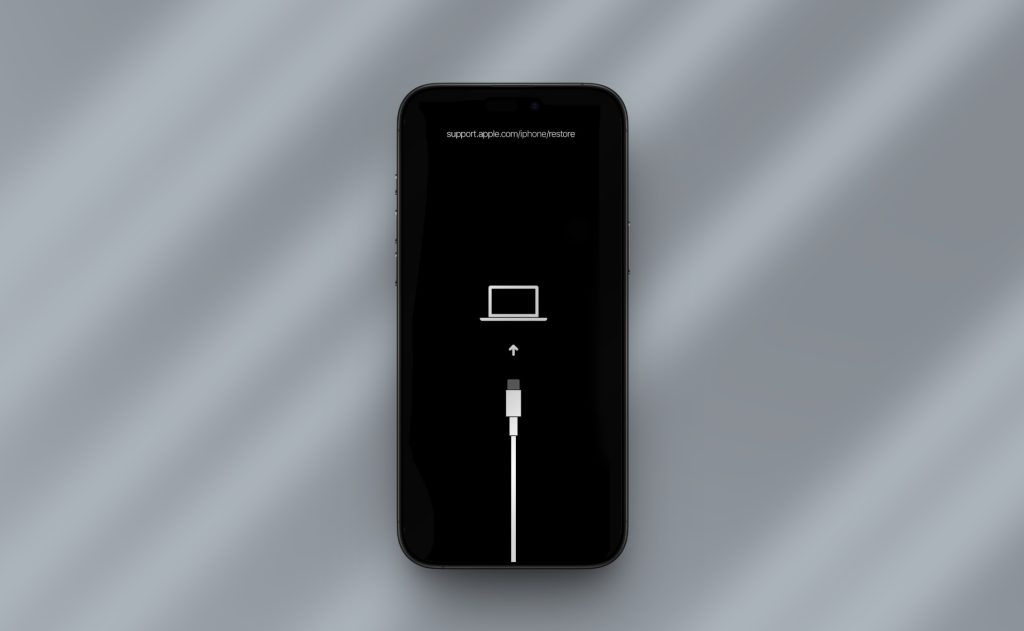
Recovering deleted Instagram photos on an iPhone presents a different set of challenges due to Apple’s stringent security model. The iOS sandboxing architecture prevents applications from accessing the file system outside of their designated container, making deep scans of the raw storage impossible without a computer and specialized forensic tools. Consequently, the recovery strategy for iOS shifts from direct file manipulation to backup analysis and system exploitation.
Analyzing iTunes and Finder Backups
For iPhone users who regularly sync their devices with a computer, local backups created via iTunes (on Windows) or Finder (on macOS) are a goldmine for recovery. These backups contain a comprehensive snapshot of the device’s data at the time of the sync, including photos that may have been deleted since. However, restoring a full backup will revert the entire phone to that previous state, potentially causing the loss of newer data.
To avoid this all-or-nothing approach, third-party software tools exist that can extract specific data types from an iTunes backup file without requiring a full device restore. Programs like iMyFone D-Back or Tenorshare UltData can parse the backup database, locate the deleted Instagram images, and allow the user to export only those specific files. This method leverages the iOS backup encryption standards to retrieve data safely. It is imperative that the backup was created before the photo was deleted; a backup made after the deletion will simply record the absence of the file.
The Limitation of Direct Scanning
Unlike Android, there are no iOS apps available on the App Store that can directly scan the iPhone’s internal storage for deleted photos due to Apple’s privacy restrictions. Any app claiming to perform a “deep scan” directly on the iPhone without a computer connection is likely misleading or limited to scanning only the “Recently Deleted” album, which the user has likely already checked. Therefore, the most effective iOS recovery workflow invariably involves connecting the device to a desktop or laptop computer. This setup allows the software to communicate with the device at a lower level, attempting to read unallocated space or querying the SQLite databases that manage the photo library metadata. While less flexible than Android’s open file system, this computer-mediated approach remains the most authoritative method for iOS data retrieval.
Comparative Analysis of Recovery Methods
Choosing the right recovery path depends on the device type, the time elapsed since deletion, and the user’s technical comfort level. The following table outlines the key differences between the primary recovery strategies, highlighting their effectiveness, risk levels, and requirements.
| Recovery Method | Platform Compatibility | Success Probability | Technical Difficulty | Risk of Data Overwrite | Cost Implication |
|---|---|---|---|---|---|
| Recently Deleted Folder | iOS & Android | High (if <30 days) | None (Native) | None | Free |
| Cloud Backup (Google/iCloud) | iOS & Android | High (if synced) | Low | None | Free / Subscription |
| File Manager Search | Android Only | Moderate | Medium | Low | Free |
| Rooted Deep Scan | Android Only | High | High | Moderate (during root) | Free / Paid Apps |
| PC/Mac Backup Extraction | iOS & Android | High (if pre-del backup) | Medium | None | Paid Software |
| Professional Forensic Service | iOS & Android | Very High | N/A (Done by Pros) | None | Expensive |
This comparison illustrates that while native solutions are the safest and easiest, they are time-bound. As the window for native recovery closes, the complexity and potential cost increase. For Android users, the ability to perform a rooted scan offers a significant advantage in success probability compared to iOS users, who are more reliant on the existence of prior backups. Professional forensic services, while costly, represent the ultimate recourse for critical data where all other methods have failed, utilizing hardware-level tools to image the storage chip directly.
Preventative Measures and Best Practices
While recovery is possible, it is never guaranteed. The most effective strategy for managing Instagram photos is a proactive approach to data preservation. Relying solely on the device’s internal storage is a risky proposition given the volatility of mobile data. Implementing a robust backup regimen ensures that a deleted photo is merely an inconvenience rather than a permanent loss.
Automated cloud synchronization should be the cornerstone of any data protection strategy. Ensuring that Google Photos or iCloud Photos is set to “Backup & Sync” guarantees that every image saved from Instagram is instantly duplicated to a remote server. This creates a redundant copy that is immune to local deletions or device failures. Furthermore, users should periodically verify their backup status. It is not uncommon for sync processes to pause due to Wi-Fi settings or storage limits, leaving gaps in the safety net. Regular checks of the cloud library provide peace of mind and confirm that the redundancy is active.
For users dealing with sensitive or highly valuable images, maintaining a local backup on a computer or external hard drive adds an additional layer of security. This “3-2-1” backup rule—three copies of data, on two different media, with one offsite—is a standard in data management that applies equally to personal photo collections. By diversifying where images are stored, the reliance on any single recovery method is diminished. Additionally, exercising caution within the Instagram app itself, such as archiving posts instead of deleting them, keeps the content accessible within the account without cluttering the main feed, providing a reversible alternative to permanent deletion.
Frequently Asked Questions
Can I recover Instagram photos deleted more than 30 days ago?
Recovery after 30 days is challenging but not impossible. Once the “Recently Deleted” folder empties, the file is logically removed from the index. However, if the data sectors have not been overwritten by new information, specialized recovery software may still locate the file fragments. The success rate diminishes significantly with time and device usage, but checking cloud backups or computer backups made prior to the deletion remains a viable option regardless of the timeframe.
Does rooting my Android phone guarantee photo recovery?
Rooting provides the necessary permissions for recovery software to perform a deep scan of the entire memory, significantly increasing the chances of success compared to a non-rooted scan. However, it does not guarantee recovery. If the data has already been overwritten by new files, even a rooted scan cannot retrieve it. Additionally, the rooting process itself carries risks, including potential data loss if not performed correctly, so it should be approached with caution.
Why can’t I find deleted photos in my phone’s file manager?
When a photo is deleted, the operating system removes the pointer to the file, making it invisible to standard file managers and gallery apps. The data remains on the storage chip, but without a directory entry, the file manager cannot display it. Specialized recovery tools are required to bypass the file system index and search the raw storage for the file’s binary signature.
Is it safe to use third-party recovery apps?
Safety varies by application. Reputable software from well-known developers (such as those available on the official Google Play Store or established desktop software vendors) is generally safe. However, users should be wary of obscure apps that request excessive permissions or lack positive reviews, as these could potentially contain malware or steal personal data. Always research the software and read user feedback before installation.
Can Instagram support recover deleted photos for me?
No, Instagram support does not have the capability to recover photos deleted from a user’s device storage. Once a photo is deleted from the app and the device, it is removed from Instagram’s servers as well, adhering to their privacy and data retention policies. Recovery is strictly a local device or backup-dependent process.
What should I do immediately after realizing a photo is deleted?
The most critical step is to stop using the device immediately. Avoid taking new photos, downloading apps, or browsing the web. Every action writes new data to the storage, increasing the risk of overwriting the deleted file. Put the phone in Airplane mode to prevent background syncs or updates, and proceed directly to checking the “Recently Deleted” folder or connecting to a computer for backup analysis.
Conclusion
The disappearance of a cherished photo from a smartphone can feel like a digital void, yet the reality of modern storage technology offers a beacon of hope. The journey to recover deleted Instagram photos is not one of magic, but of methodical exploration through the layers of a device’s operating system. From the simplicity of the “Recently Deleted” folder to the complexities of raw data scanning and backup extraction, multiple avenues exist to reclaim lost memories. The key lies in understanding that deletion is a process, not an instant event, and that the window for recovery, while narrowing with time and usage, often remains open longer than anticipated.
Success in this endeavor relies heavily on swift action and the strategic application of the right tools. Whether leveraging the open architecture of Android to dive deep into file directories or utilizing the structured backup ecosystems of iOS, the path to recovery is paved with technical nuance. Users are empowered not just by the software they choose, but by their understanding of how their devices manage data. By combining native safety nets with advanced recovery techniques, the permanence of deletion can often be reversed.
Ultimately, while the technologies for recovery are powerful, they serve best as a remedial measure rather than a primary strategy. The true safeguard against data loss is a proactive culture of backup and redundancy. By integrating automated cloud syncing and regular local backups into daily digital habits, the anxiety of accidental deletion is replaced by the confidence of resilience. In an era where our lives are increasingly documented in pixels, treating these digital assets with the same care as physical heirlooms ensures that memories remain preserved, accessible, and safe from the fragility of a single swipe.